
Mount Your TV and Hide Every Cable
Custom entertainment centers and media walls built for homes in Scottsdale.
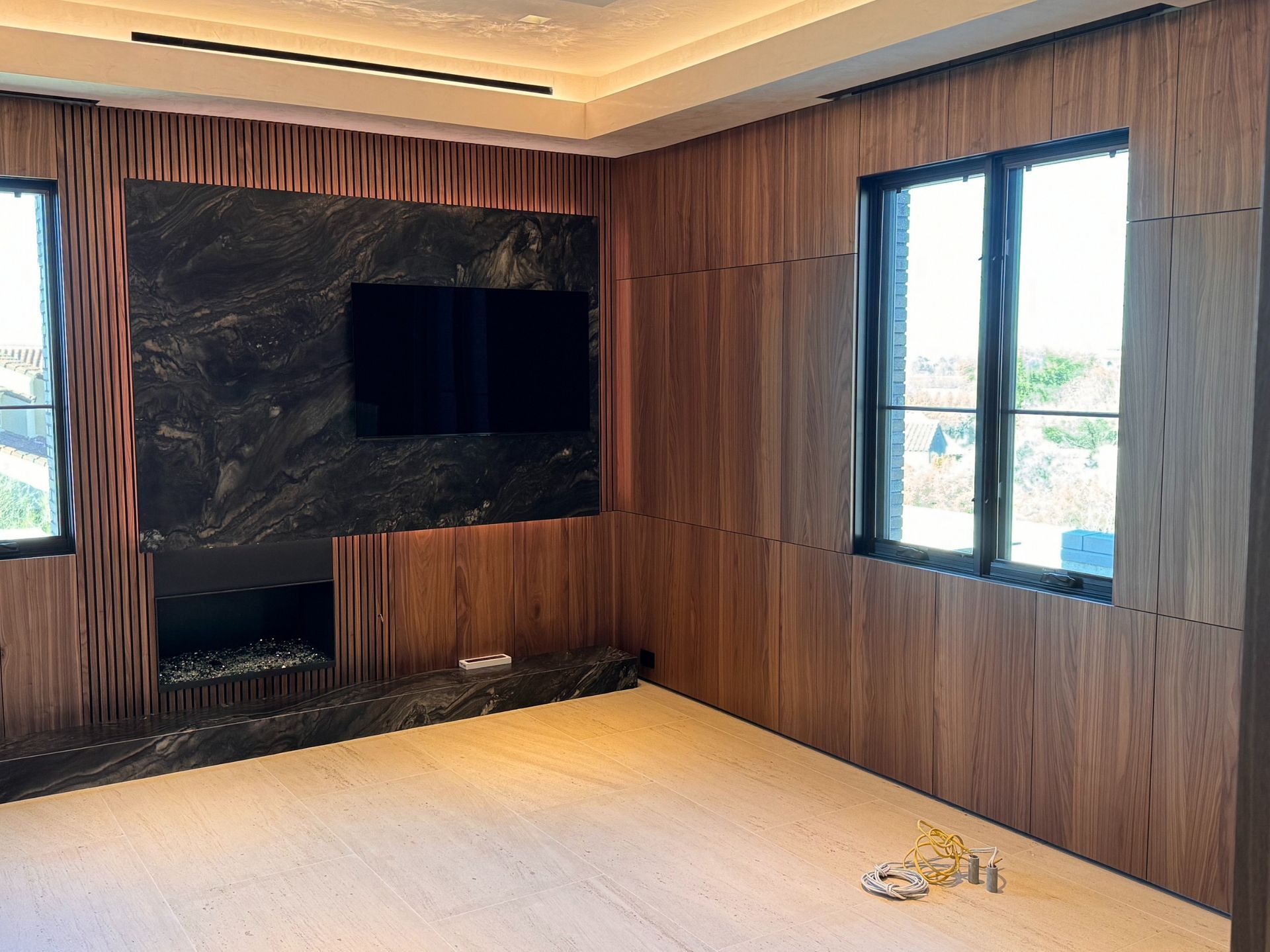
If your TV sits on a stand with cables draped down the back and your sound bar balances on a stack of remotes, a custom entertainment center organizes everything into one built-in unit that mounts the screen and hides wires behind closed panels. Knotty Customs LLC builds wall-to-wall and floor-to-ceiling media walls in Scottsdale that integrate TV mounting, component shelving, and storage for games, books, or decor, so the living room looks intentional instead of cluttered. Cable management channels are routed through the back of the cabinetry, and outlets are positioned inside the unit so power cords stay out of sight.
Each entertainment center is designed around your TV size and viewing height, and shelving is spaced to fit your receiver, gaming consoles, and cable box. Cabinet sections flank the TV opening for concealed storage, and adjustable shelves accommodate media components or display items. Doors can be solid wood, glass-front, or open shelving depending on whether you want a clean front or visible decor. The unit is built from plywood with hardwood face frames and finished in paint or stain to match your trim or other cabinetry. Installation includes anchoring the unit to wall studs, mounting the TV bracket, and running cables through access holes drilled in the back panel.
If you want to replace a freestanding TV stand with a built-in system that organizes cables and creates a focal point in your Scottsdale living room, contact Knotty Customs LLC to discuss sizing and storage layout.
How the unit is sized and what gets built into it
Knotty Customs LLC measures the wall in your Scottsdale home where the entertainment center will be installed, noting outlet locations, wall studs, and any windows or doors that limit cabinet width. TV dimensions are confirmed so the opening is sized with enough clearance for the mount and ventilation. Shelving heights are planned based on your components, and drawer or cabinet sections are positioned where you need storage for remotes, DVDs, or charging cables.
Once installed, you will notice that the TV sits centered on the wall without a visible stand underneath, and all cables run through the back of the unit instead of hanging down in front of the baseboard. Shelves hold your receiver and gaming consoles with enough space for airflow, and cabinet doors conceal items you do not want on display. The unit spans the full width or height of the wall, so it looks like permanent architecture rather than a piece of furniture pushed against drywall.
Installation begins with anchoring the cabinet frame to wall studs using lag bolts or construction screws, then leveling the base so shelves sit flat. The TV mount is bolted through the back panel into studs, and cable access holes are drilled where wires need to pass from components to the screen or power outlets. Adjustable shelves are installed on shelf pins, and doors are hung on soft-close hinges. The crew routes cables through the back and secures them with zip ties or cable clips to keep everything organized. You can mount the TV and connect components as soon as the unit is installed.
Details homeowners ask about before installation starts
Common questions involve how the TV is mounted inside the unit, whether components get enough ventilation, and what happens if you upgrade to a larger TV later.
Knotty Customs LLC builds entertainment centers that organize your media components and create a clean, finished look in your Scottsdale living room. If you are ready to replace a freestanding TV stand with a wall-to-wall built-in that hides cables and adds storage, get in touch to review design options and schedule a site measurement.